P
Loading blog...
Loading blog...
From signup to a complete, visible profile in under 20 minutes. Here is exactly how to do it.
ProjectBist Editorial
Apr 13, 2026•4 min read
The most common reason a researcher's profile on ProjectBist is not bringing in project opportunities is not that the platform is not working. It is that the profile was set up too quickly, left incomplete, or written too vaguely to surface in the searches clients are running.
This guide walks you through every step of creating an account and setting up a profile that actually works: one that appears in the right searches, signals the right expertise to the right clients, and scores well enough on the Profile Quality system to be indexed publicly.
You can also watch our setup walkthrough on the ProjectBist YouTube channel (@projectbist) which covers the signup and profile completion process visually.
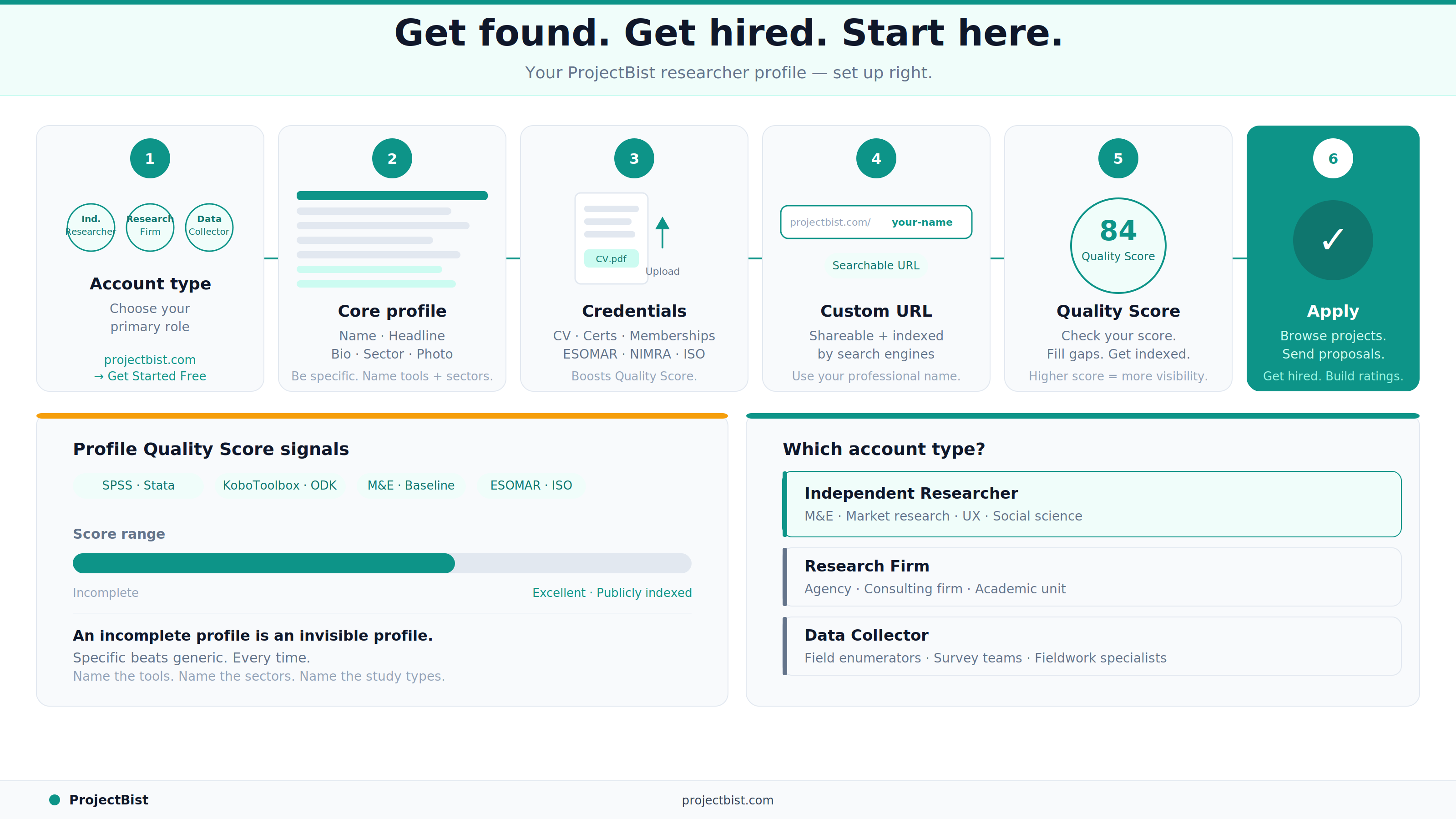
Go to projectbist.com and click Get Started Free. You will be asked to choose your account type. There are three researcher-side options:
Choose the type that most accurately describes your primary role. You can update this later if your work changes.
After verifying your email, you will land on your dashboard. Navigate to your profile. The core fields you need to complete first are the ones with the highest weight in the Profile Quality Score:
Upload your CV as a PDF. For firms, upload your company registration document and any relevant certifications. If you have professional memberships (ESOMAR, NIMRA, ISO certifications, academic research association membership), add these to your credentials section.
Each document upload improves your Profile Quality Score and adds a layer of verifiability that clients can see before they contact you.
In your account settings, find the custom URL option. Set your URL to your professional name or firm name. For example: projectbist.com/researcher/your-name. This URL is shareable and appears in search engines. A clean, readable URL is better for both client trust and search engine indexing.
You can change this once every 15 days, so choose carefully from the start.
Your dashboard shows your Profile Quality Score and your current tier (Excellent, Medium, Low, or Very Low). Work through the improvement prompts until you reach the Excellent tier (70 or above). Profiles in the Excellent tier are publicly indexed on search engines and appear higher in platform search results.
With your profile complete, go to ProjectBist jobs directory to browse open research jobs. Review each listing for fit, and apply to the ones that match your expertise and availability. Your first application is the beginning of your rating trail on the platform.
Is it free to create a researcher account on ProjectBist?
Yes. Creating a researcher, firm, or data collector account on ProjectBist is free. You can set up your profile, browse available projects, and apply at no cost.
How long does it take to complete a ProfileBist researcher profile?
A basic profile can be created in a few minutes. A fully optimized profile that reaches the Excellent quality tier typically takes 15 to 20 minutes if you have your bio, CV, and relevant credentials ready to upload.
Can both independent researchers and research firms use the platform?
Yes. ProjectBist supports three researcher-side account types: independent researchers (consultants), research firms (organizations), and data collectors. Each has its own profile structure and appears in relevant client searches.
Where can I watch a video walkthrough of the signup process?
Step-by-step video guides for creating your account are available on the ProjectBist YouTube channel (@projectbist). The videos cover each account type separately.
Newsletter
Personalize your updates! Subscribe to ProjectBist's Newsletter and choose from the following categories.
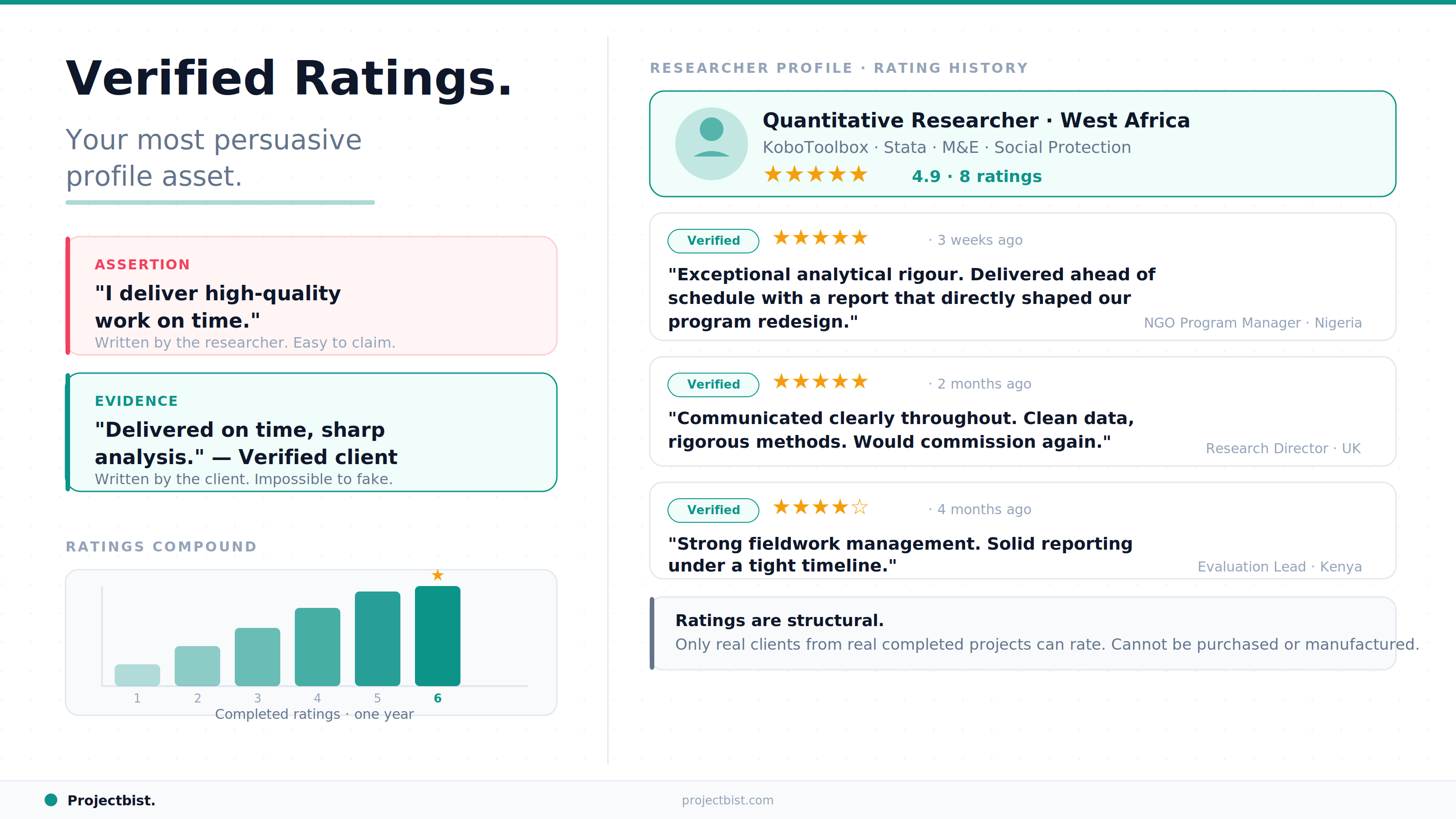
How the ProjectBist Rating System Works and Why Verified Ratings Are the Most Valuable Asset on Your Profile
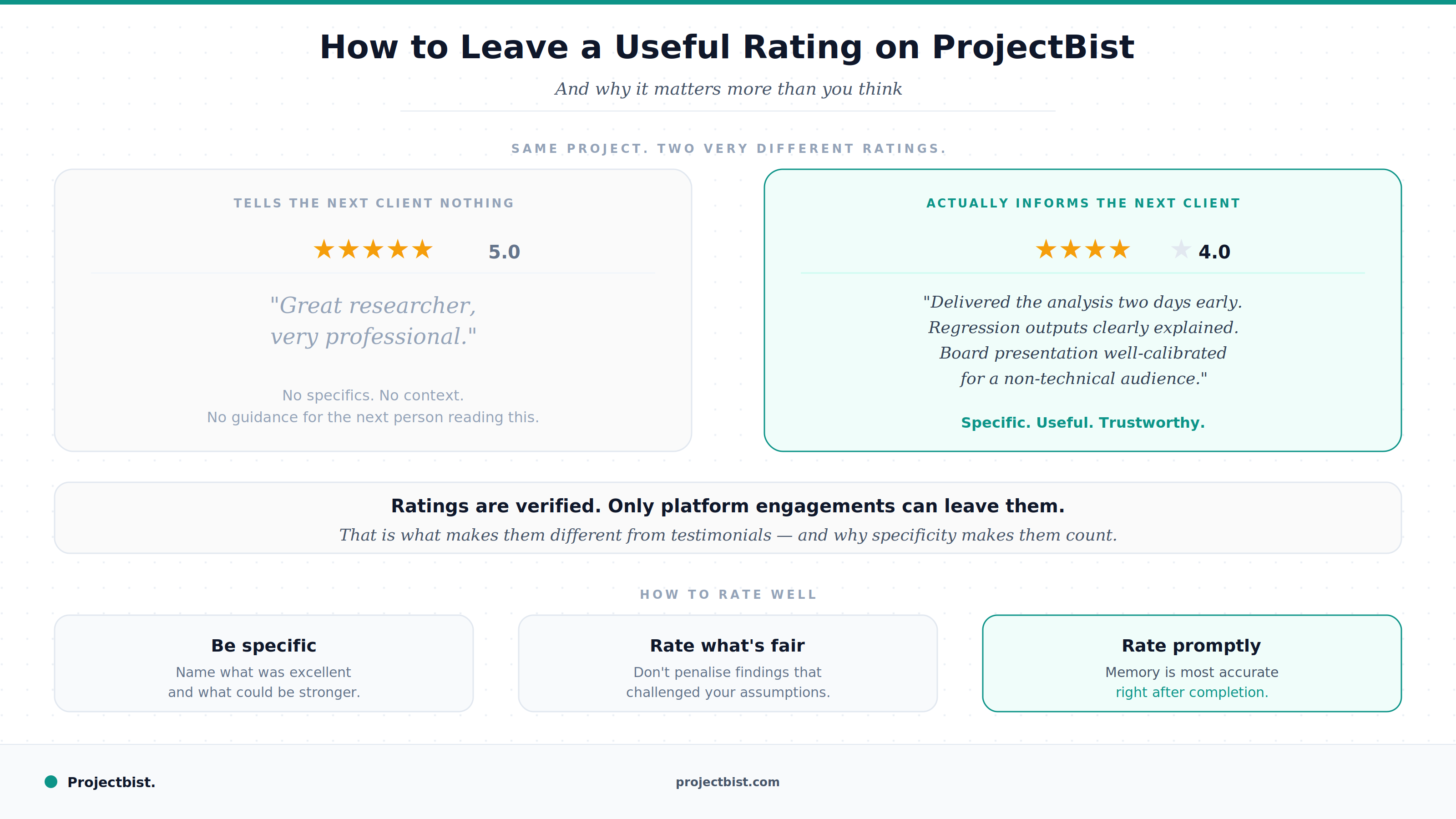
How to Leave a Useful Rating After a Research Engagement on ProjectBist (And Why It Matters More Than You Think)
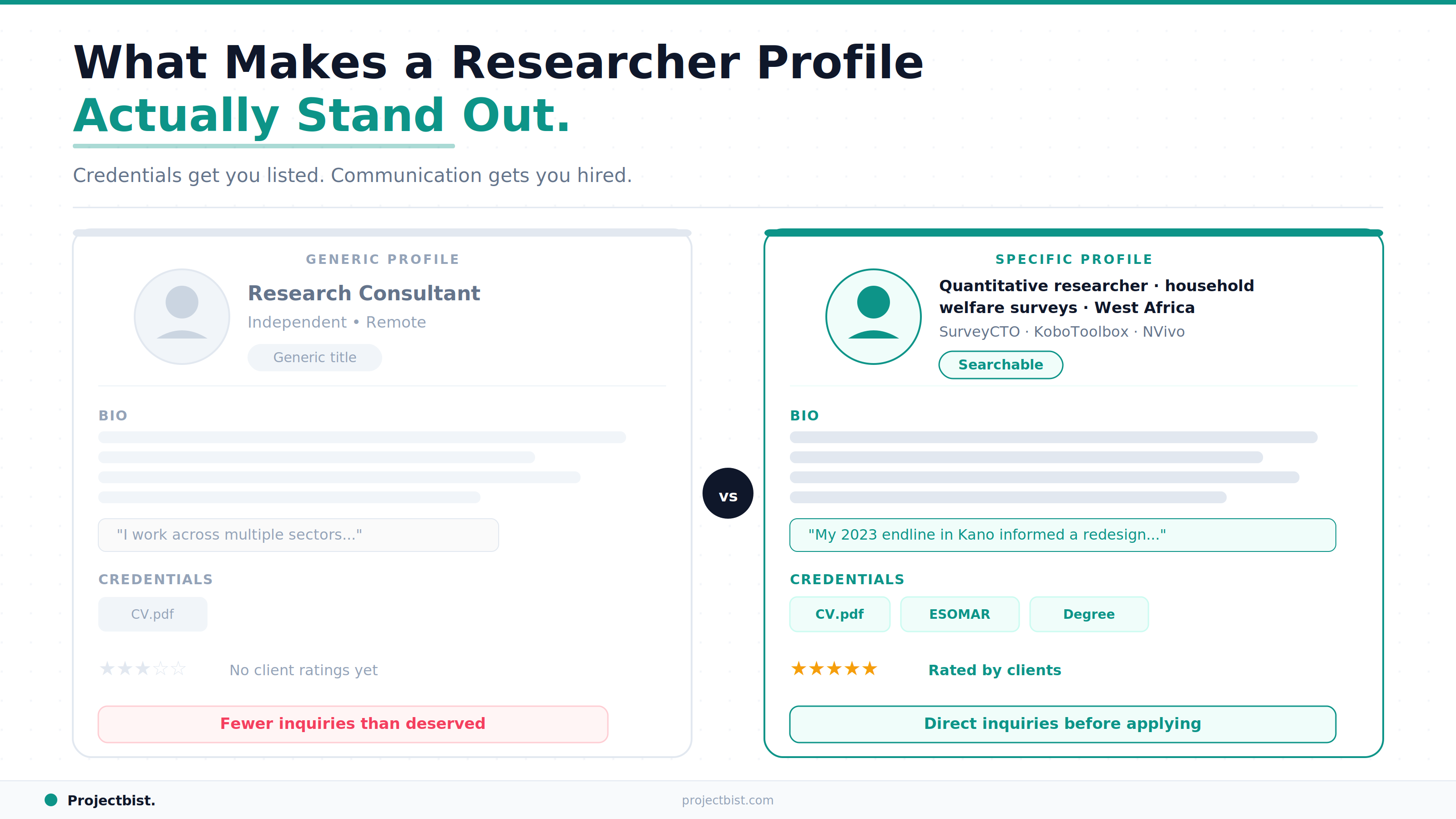
What Makes a ProjectBist Researcher Profile Actually Stand Out: The Complete Optimization Guide